GraphQL API
SignageLab provides a GraphQL API available at:
https://my.signagelab.com/api/graphql
Authentication
All API requests require a bearer token for authentication.
Obtaining a Bearer Token
- Go to your User Profile in the CMS
- Create a new API token
- Set the token expiration period
- Give it a descriptive name for easy identification
- Copy the generated token
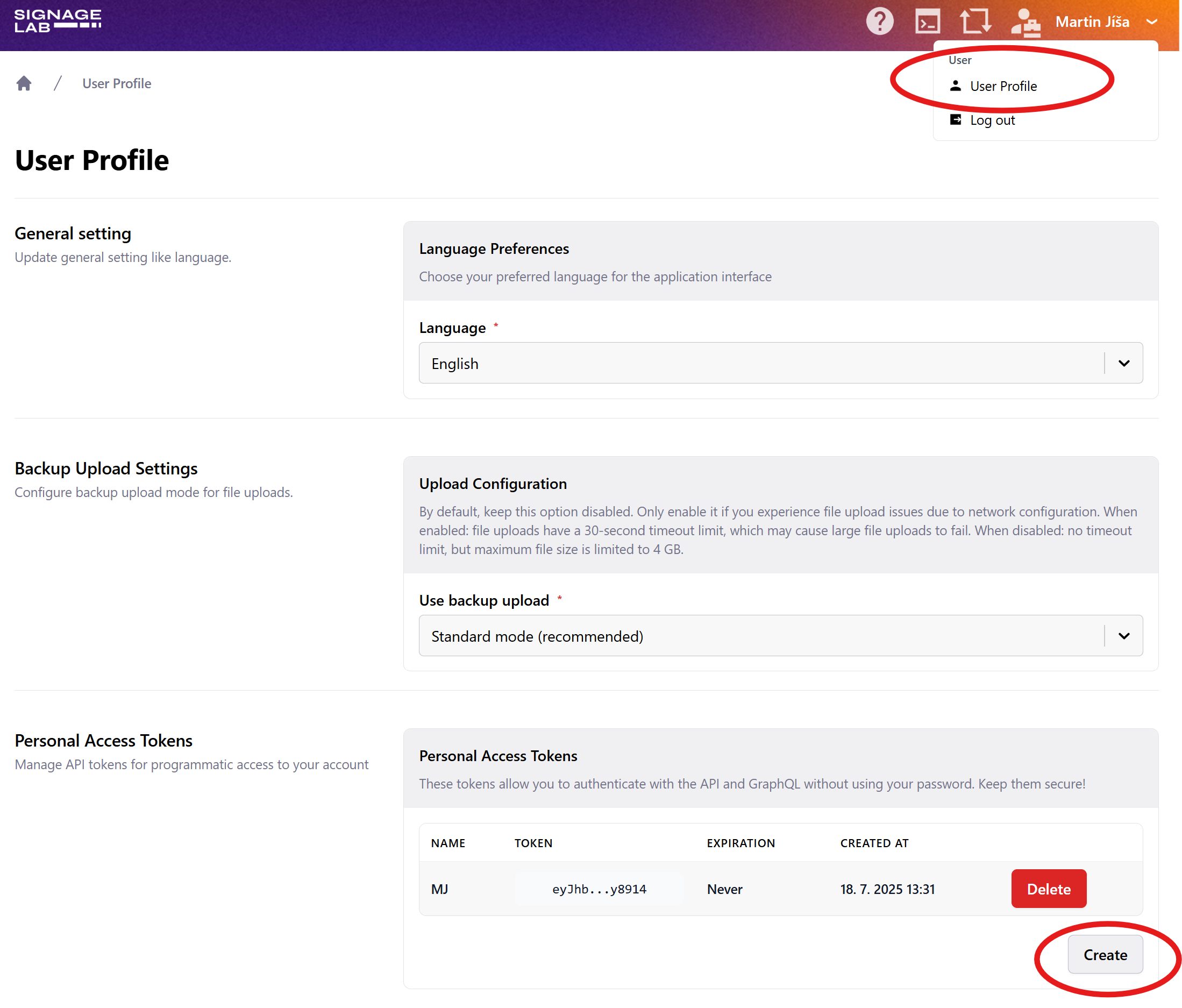
Important: Store your token securely. If compromised, you can deactivate it in your User Profile.
API Documentation
You can explore the complete API schema and available queries/mutations by opening the GraphQL endpoint in your browser:
https://my.signagelab.com/api/graphql
The GraphQL playground provides:
- Interactive documentation of all available operations
- Autocomplete for fields and arguments
- Schema introspection
Alternatively, you can use schema introspection to generate TypeScript types for your codebase, enabling type-safe API calls.
Making API Requests
Headers
All requests must include the Authorization header with your bearer token:
Authorization: Bearer YOUR_TOKEN
For operations scoped to a specific account, you must also include the account header:
account: ACCOUNT_ID
Examples
General query (no account scope required):
curl -X POST https://my.signagelab.com/api/graphql \ -H "Authorization: Bearer YOUR_TOKEN" \ -H "Content-Type: application/json" \ -d '{"query":"query { accounts { id name } }"}'Account-scoped query:
curl -X POST https://my.signagelab.com/api/graphql \ -H "Authorization: Bearer YOUR_TOKEN" \ -H "account: ACCOUNT_ID" \ -H "Content-Type: application/json" \ -d '{"query":"query { account(id: \"ACCOUNT_ID\") { id name } }"}'